DCF Settings: Global Defaults and Your Own Parameters
Updated 2026-09-13 · All guides
The DCF model parameters are set globally, and those global parameters are passed on to all users. They are the shared defaults every valuation on MegaScreener starts from, so everyone sees the same baseline fair values.
Your own parameters override the globals
Each user can set their own parameters, which override the DCF parameters just for them. This is done in the Settings area — click the gear icon at the top right of the DCF Stock Screener. Change values such as the discount rate, growth assumptions, or projection settings there, and the screener and valuation pages recompute using your numbers instead of the global ones. Other users are unaffected: your overrides apply to your views only.
Entering your settings is not enough — you must enable them
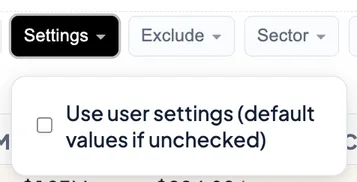
Once your DCF settings are entered via the Settings gear icon, they are not enabled by default. They must then be enabled in the DCF Screener under the Settings filter button: open it and check "Use user settings (default values if unchecked)". Until that box is checked, the screener keeps using the global default values.
Individual stocks can have their own parameters
Besides the user-selected DCF Settings parameters, individual stocks can be set to have their own specific DCF value parameters. Doing this overrides the user settings for that specific stock only. To do this, go to the stock you wish to change the parameters for and adjust the sliders to adjust the growth values:
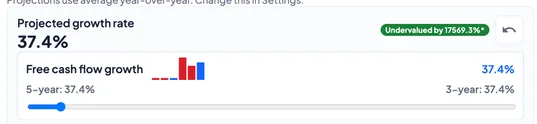
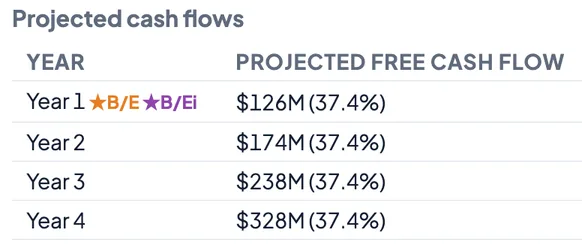
This changes the growth values used in the growth calculations, which flow directly into that stock's projected cash flows:
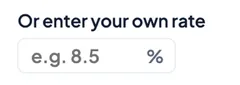
You can also manually enter your own growth value instead of using the slider:
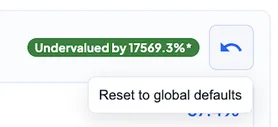
In the event that you want to switch back to the default values, simply press the reset icon:
Your settings are saved in your browser
Once set, your parameters are saved to your browser (local storage on your own device) — not to an account on our servers. That means they load automatically each time you return on the same browser and device.
Clearing the browser cache deletes your settings
Deleting the browser cache (or clearing site data / local storage) will delete all of these settings, and they will all need to be re-entered. Switching to a different browser or device starts fresh for the same reason: each browser keeps its own copy. This is the limitation of the login-free access MegaScreener offers — no account means there is nowhere server-side to store personal preferences, so keeping a note of your preferred values makes re-entering them quick.